
VideoJS integration with Storm Streaming Cloud
VideoJS is a minimalist, open-source video player for websites with huge potential. It also integrates well with the Storm Streaming Cloud service or an instance of the Storm Streaming Server.
Embed code
 html
html<video-js id="vid1" width="600" height="300" class="vjs-default-skin" controls>
<source src="https://${SERVER_HOST}/${APP_NAME}/${STREAM_KEY}.m3u8" type="application/x-mpegURL" />
</video-js>
<!-- "core" version of Video.js -->
<script src="video.core.min.js"></script>
<script src="videojs-http-streaming.min.js"></script>
<script>
var player = videojs("vid1");
player.play();
</script>
Main parameters explanation
| Parameter | Description |
|---|---|
source: src | Path to m3u8 file related to the stream. See format below. |
URL Format:
https://${SERVER_HOST}/${APP_NAME}/${STREAM_KEY}.m3u8
Where:
| Variable | Description |
|---|---|
${SERVER_HOST} | Hostname for the Storm Cloud. Can be found on the Video Summary page. |
${APP_NAME} | Application name. For the Storm Cloud it's always "live". |
${STREAM_KEY} | Stream key for the video. For Storm Cloud, it can be found on the Video Summary page. |
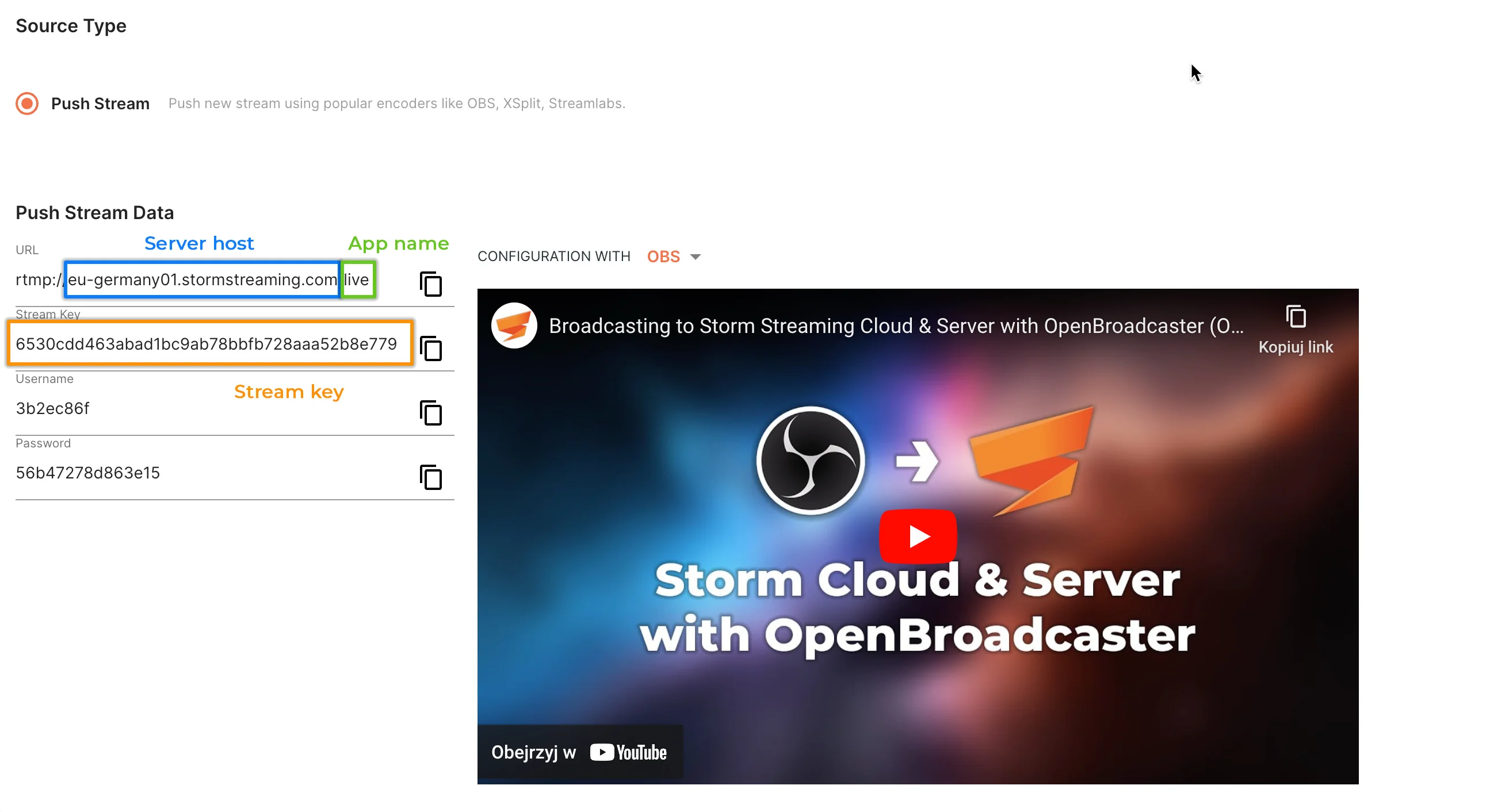
Example (Cloud Stream data):
| Field | Value |
|---|---|
| Cloud URL | rtmp://edge.stormstreaming.com/live |
| Stream Key | 6530cdd463abad1bc9ab78bbfb728aaa52b8e779 |
Turns into:
https://edge.stormstreaming.com/live/6530cdd463abad1bc9ab78bbfb728aaa52b8e779.m3u8
Adaptive Bitrate Streaming (ABR)
In order to utilize the Adaptive Bitrate Streaming (ABR) functionality, it is essential to enable and customize the transcoding setting. In the instance of Storm Streaming Cloud, users have the ability to choose this option during stream creation (provided their subscription permits it).
Differences Between VideoJS & Storm Player Core/UI
VideoJS and our dedicated Storm Player Core/UI behave differently. VideoJS does not automatically react to stream state changes (e.g., published/unpublished). Developers are responsible for implementing custom logic if needed. VideoJS will also not provide a server with real-time playback details.
Useful links
- VideoJS Github Page - https://github.com/videojs/http-streaming
Create a free ticket and our support team will provide you necessary assistance.