
RESTful Basics - Storm Streaming Cloud
Introduction
Below, you'll find a basic example of how to use our RESTful API to manage your streams on Storm Streaming Cloud. The API provides total control over your streams, allowing for further automation of the stream creation process. A complete API Collection for Postman can be downloaded here.
API Authentication
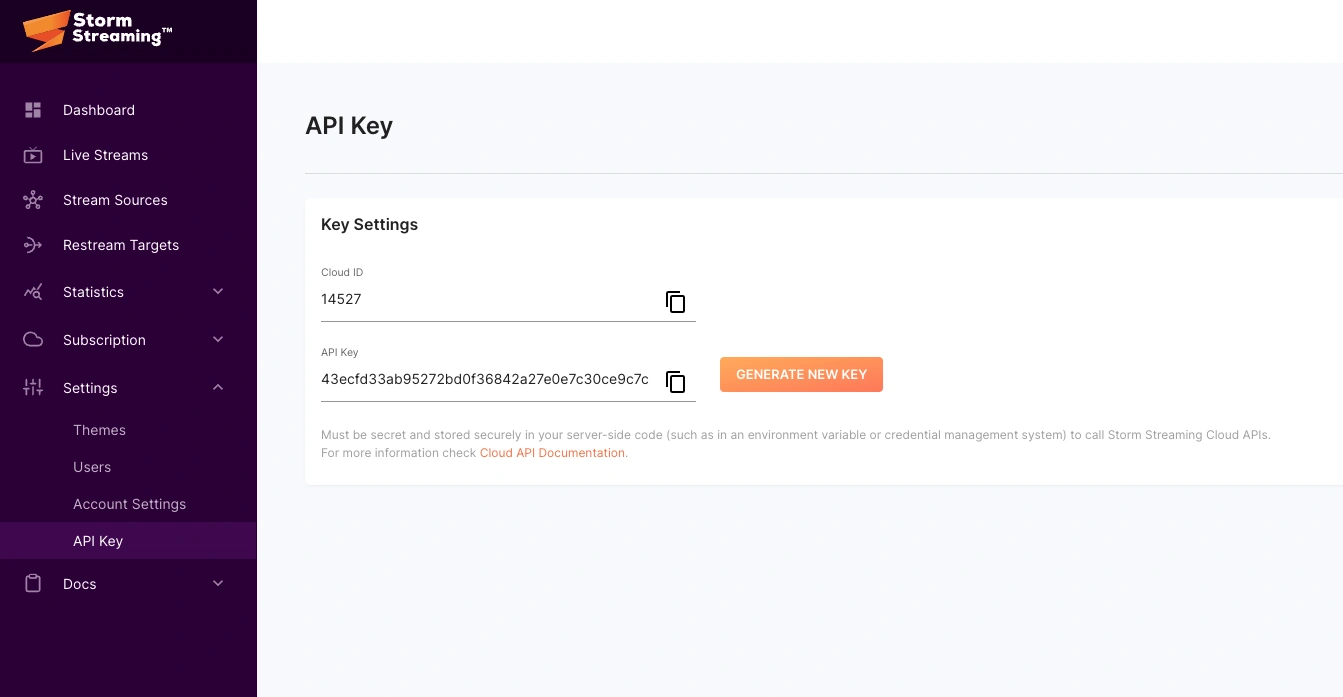
The Storm Streaming Cloud API endpoint requires the x-api-key header to authenticate and authorize requests. Your personal API key can be acquired from the following webpage: https://cloud.stormstreaming.com/settings/api-key.
Basic Stream Create Request
Endpoint used for creating a new stream with minimal parameters.
Request
| Property | Value |
|---|---|
| Method | POST |
| URL | https://api.stormstreaming.com/api/request/stream |
| Content-Type | multipart/form-data |
| Authentication | x-api-key header |
Request
 bash
bashcurl -X GET "https://api.example.com/api/applications" \
-H "x-api-key: YOUR_API_KEY"
Request Body
| Parameter | Type | Required | Description |
|---|---|---|---|
name | string | Yes | Name of the stream |
regionId | integer | Yes | Region ID for the stream server |
Request Body
json{
"name": "My stream",
"regionId": 1
}
Response
| Parameter | Type | Description |
|---|---|---|
message | string | Response status message |
stream.streamKey | string | Unique stream key identifier |
stream.name | string | Name of the stream |
stream.description | string | Stream description (nullable) |
stream.regionId | integer | Region ID |
stream.isPublished | boolean | Whether the stream is published |
stream.sourceType | string | Source type (PUSH or PULL) |
stream.encoderMode | string | Encoder mode (PASSTHROUGH or TRANSCODE) |
stream.credentials | object | Authentication credentials for RTMP connection |
stream.theme | object | Player theme configuration |
stream.createdAt | string | Stream creation timestamp (ISO 8601) |
Successful Response (200)
json{
"message": "Stream has been created.",
"stream": {
"streamKey": "9ed8b119f8ed9425a428a47846e55c6b761afc6c",
"name": "My stream",
"description": null,
"regionId": 1,
"isPublished": true,
"countdown": {
"isCountdown": false,
"startDate": null,
"timezone": null
},
"sourceType": "PUSH",
"encoderMode": "PASSTHROUGH",
"credentials": {
"username": "902aee51",
"password": "f9aef6eac1d977d"
},
"thumbnail": null,
"splashscreen": null,
"source": null,
"targets": [],
"theme": {
"id": 54,
"name": "test",
"isDefault": 1
},
"isCreated": true,
"createdAt": "2024-01-25T11:10:53.000000Z"
}
}
Error Response (4xx/5xx)
| Parameter | Type | Description |
|---|---|---|
message | string | Human-readable error message |
json{
"message": "The selected source type is invalid."
}
Possible Response Code Explanation
| Code | Sample body | Description |
|---|---|---|
| 200 | {"message": "Stream has been updated."} | Request processed successfully. |
| 400 | {"message": "The selected source type is invalid."} | Validation error has occurred. |
| 401 | {"message": "Unauthenticated."} | Provided x-api-key header is incorrect. |
| 403 | {"message": "You have exceeded the limit of concurrent live streams..."} | User has surpassed the allowed number of concurrent live streams. Either terminate an existing stream or upgrade subscription plan. |
| 404 | {"message": "Stream not found."} | The resource was not found. |
| 429 | {"message": "Too Many Attempts."} | Excessive number of requests. The limit is 500 requests per minute. |
| 500 | {"message": "Internal Server Error."} | Internal server error has occurred. |
Notes
- Rate limit: 500 requests per minute.
- The
regionIdparameter determines which server will receive the stream. - Streams are created with
isPublished: trueby default.
Support Needed?
Create a free ticket and our support team will provide you necessary assistance.